
Blog
Gingerbread House SVG: 7 Design Ideas for Christmas Crafts, Shirts & Ornaments
Gingerbread House SVG: 7 Design Ideas for Christmas Crafts, Shirts & Ornaments
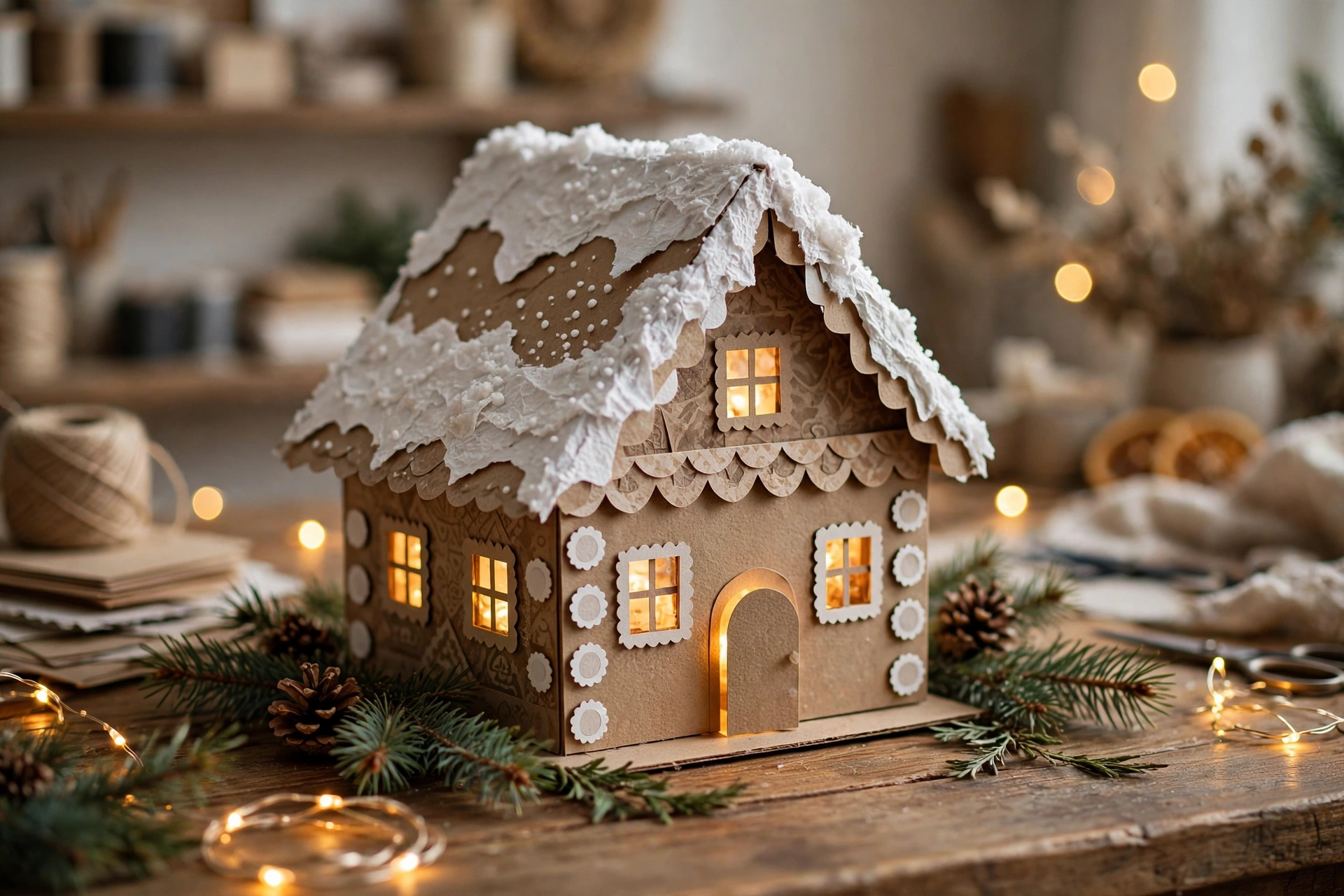
Few Christmas images feel as instantly cozy as a gingerbread house: snow-dusted roof, glowing windows, a candy-cane path, and the smell of cinnamon in the air. This year, crafters are skipping the baking and reaching for something easier to keep — a gingerbread house SVG.
Search interest in gingerbread house cut files is climbing fast as the holiday season approaches, with demand peaking in November and December. The appeal is simple: one digital file can become a paper house on your mantel, a wooden ornament on your tree, a festive t-shirt, or a whole Christmas village. No oven required, and nothing goes stale.
If you own a Cricut, Silhouette, Glowforge, or xTool — or you just love paper crafts — here is what a gingerbread house SVG actually is and seven project ideas worth trying this Christmas.
What Is a Gingerbread House SVG?
An SVG (Scalable Vector Graphic) is a digital cut file made of clean vector paths instead of pixels. That matters for crafters because the design stays crisp at any size, whether you cut a two-inch gift tag or a twelve-inch door hanger.
A gingerbread house SVG typically includes the house shape as separate layers: walls, roof panels, windows, doors, icing details, and extras like candy canes and snowflakes. Depending on the file, you get flat pieces for paper assembly or interlocking panels for a freestanding 3D house.
Most bundles also include the same design in other formats — DXF for Silhouette, and sometimes AI or EPS for design software — so one download usually covers every machine you own. Common project types include 3D paper gingerbread houses, laser-cut wooden ornaments from thin plywood, Christmas village house sets, gift tags, cards, and door hangers.
Which Machines and Materials Work Best?
- Cricut or Silhouette machines are ideal for paper and cardstock houses, vinyl decals, and heat-transfer vinyl for shirts and tote bags.
- Glowforge or xTool laser cutters handle wood, acrylic, and thick chipboard — how you get sturdy ornaments and freestanding houses.
- A standard printer and scissors still work for simpler files, though you lose the precision of a machine cut.
For materials, heavyweight cardstock is the go-to for paper houses, while 3mm plywood is the standard for laser-cut ornaments. Felt, vinyl, and iron-on vinyl open up the wearable projects below.
One important note: some free files are personal-use only, and commercial use may need a license or a subscription. Always check the license on each file before selling anything you make with it.
7 Gingerbread House SVG Design Ideas
1. The Classic 3D Paper Gingerbread House
This is the project that started the trend. Cut the wall and roof panels from kraft or brown cardstock, add white “icing” trim pieces, and fold everything into a freestanding house with a snowy roof. A battery tea light inside turns it into a glowing lantern for your mantel or windowsill. Look for files with score lines included — they make folding far easier than guessing where the creases go.
2. Laser-Cut Wooden Ornaments
Swap paper for 3mm plywood and your gingerbread house SVG becomes a keepsake ornament. Laser-cut houses with engraved window details and a small hanging hole look beautiful in natural wood, and white paint on the roof edges gives the snow effect. Many Etsy sellers offer personalized versions with a family name or year engraved across the front. Laser-cut gingerbread house files on Etsy typically run around $3–$16, depending on bundle size.
3. A Full Christmas Village
Why stop at one house? Christmas village bundles — often sold as sets of seven house designs in SVG, DXF, AI, and EPS — let you build an entire snowy street. Mix house shapes, vary the roof heights, and line them up along a shelf with fairy lights behind them. Add tiny bottle-brush trees and fake snow for a display that looks far more expensive than it was to make.
4. Gingerbread House T-Shirts and Sweatshirts
The same SVG that cuts paper can cut heat-transfer vinyl. A simple gingerbread house silhouette with snow and candy details makes a charming Christmas tee, and the design scales cleanly from a toddler shirt to an adult sweatshirt. Keep the palette simple — brown, white, and red on cream or forest green reads instantly as Christmas without a dozen vinyl layers. It is also the easiest way to turn a craft-night file into matching family outfits or a small-batch gift.
5. Handmade Christmas Cards
A flat gingerbread house design, layered in two or three colors of cardstock, makes a card that feels genuinely handmade. Cut the house as the front panel, add a white roofline and a wreath on the door, and leave the inside blank for your message. These are quick to batch — cut ten houses in one session, then assemble them while watching a Christmas movie.
6. Gift Tags and Treat Boxes
A mini gingerbread house folded into a treat box holds cookies, chocolates, or a small gift card, and a flat house-shaped tag tied with twine finishes off any wrapped present. For teacher gifts, neighbor gifts, or cookie-exchange packages, this is the best effort-to-delight ratio of the seven.
7. Door Hangers and Wall Decor
Scale the design up and it becomes statement decor. A large gingerbread house cut from wood or layered cardstock, finished with a bow and a “Merry Christmas” banner, works as a front-door hanger or a wall piece above a sideboard. Layered SVG designs — house, roof snow, and candy details as separate stacked pieces — give this project real depth from across the room.
How to Choose the Right File
Check four things before downloading: formats included (SVG plus DXF covers most machines; AI or EPS is a bonus), layers and score lines (a good file separates house, roof, windows, and icing so each piece can be a different color), size flexibility (vector files scale cleanly, but confirm the design still looks right tiny for tags and large for door hangers), and license (free sets exist, but free does not always mean commercial use — buy a commercial license if you plan to sell finished pieces).
Quick Tips for a Clean Result
- Test-cut first in cheap cardstock before cutting good paper or plywood.
- Weed vinyl carefully — icing details are thin, so use a weeding tool and good lighting.
- Use your machine’s recommended material setting and test-cut whenever you switch brands or thickness; cardstock and plywood behave very differently.
- Add light last — place tea lights or fairy lights only after the glue is fully dry.
Conclusion
A gingerbread house SVG is one of the most versatile Christmas craft files you can own. The same design becomes a paper house, a wooden ornament, a shirt, a card, or an entire village — and with demand peaking through November and December, now is the moment to start cutting while you still have weekends to spare.
Pick one project from the list, check the license on your file, and make something that lasts longer than the cookies. Your tree, your mantel, and your gift list will all look better for it.
FAQ
What can I make with a gingerbread house SVG?
The most popular projects are 3D paper houses, laser-cut wooden ornaments, Christmas village displays, t-shirts and sweatshirts with heat-transfer vinyl, greeting cards, gift tags, treat boxes, and door hangers. One file usually works across several of these.
Which machines work with gingerbread house SVG files?
Cricut and Silhouette cutting machines handle paper, cardstock, and vinyl versions, while Glowforge and xTool laser cutters are best for wood and acrylic. Many files also include DXF, AI, and EPS formats for different software and machines.
Are gingerbread house SVG files free?
Some are — free sets exist, such as the Gingerbread Christmas Village SVG set from Sweet Red Poppy for Glowforge Aura. Paid files on Etsy typically cost around $3–$16. Note that free files are often personal-use only, so check the license before selling anything made with them.
When is the best time to start Christmas SVG crafts?
Demand peaks in November and December, so starting in early November gives you time to test-cut, batch your projects, and finish gifts before the holiday rush.
